
Generator Controllers Explained: ComAp, Deep Sea and Others, and What They Expose for Remote Monitoring
A generator controller starts, stops and protects the engine, measures the generator and mains, and logs every event. Common families include ComAp InteliLite and InteliGen, Deep Sea DSE series, SmartGen, Datakom and Woodward easYgen. For remote monitoring, what matters is how the data gets out: Modbus, SNMP, the maker's own cloud gateway, or a platform that reads several brands.
In this article
Every standby generator has a small box on its door that decides almost everything: when to start, when to take the load, when to shut down to protect the engine and what to write in the event log. That box is the generator controller.
If you manage one generator, the controller is just the screen you look at during a test. If you manage a fleet, it is your most important data source. This guide explains what controllers do, how the common families differ, and how to get their data into a monitoring platform.
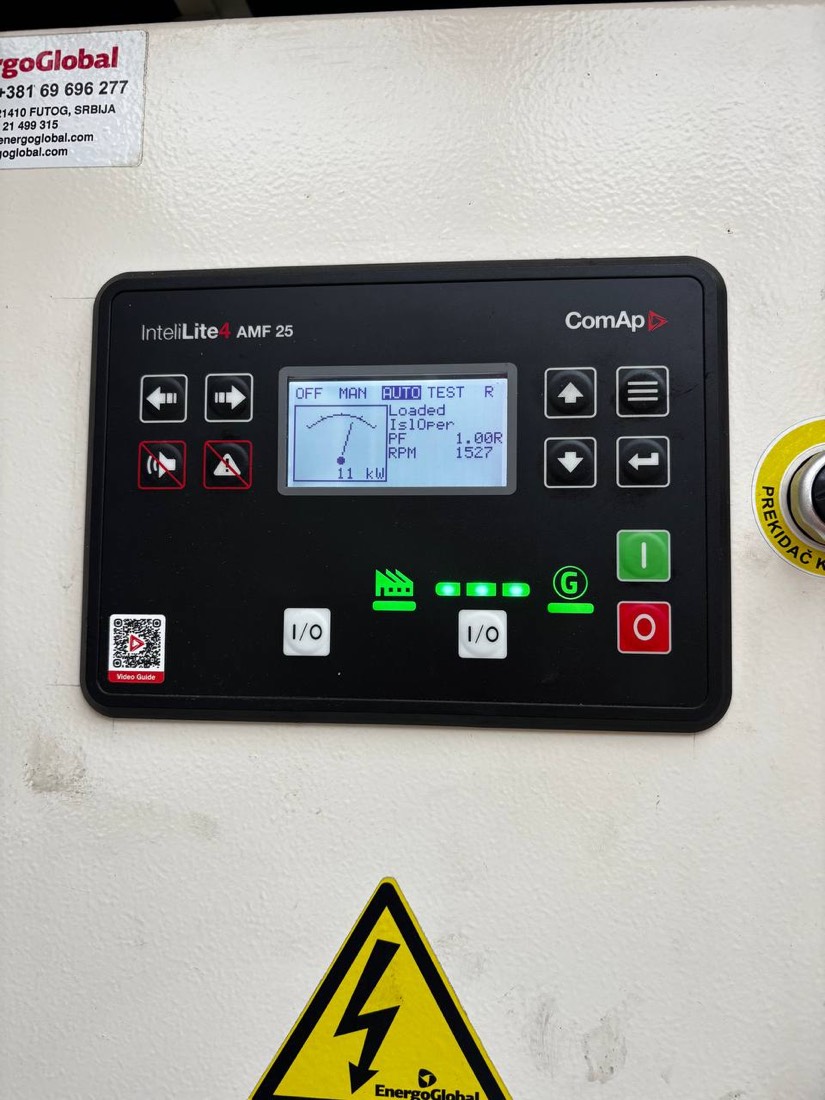
What does a generator controller do?
A generator controller, also called a genset controller or control module, is the electronic unit that runs and protects a generator set. It has four jobs:
- Control. Start and stop the engine, manage warm-up and cool-down, and in auto mains failure models, transfer the load between mains and generator.
- Measure. Read engine values such as oil pressure, coolant temperature, speed, battery voltage and fuel level, and electrical values such as voltage, current, frequency, kW, power factor and energy for the generator and, on AMF models, for the mains.
- Protect. Shut the engine down or raise a warning when a value goes outside its limits, for example low oil pressure, high coolant temperature, overspeed, overcurrent or failure to start.
- Record. Keep an event log with time stamps, run hours, number of starts and maintenance timers.
Types of generator controllers
| Type | What it does | Typical use |
|---|---|---|
| Auto start (remote start) | Starts and stops the generator on a signal from an external transfer switch or a remote command | Sites with a separate automatic transfer switch |
| Auto mains failure (AMF) | Watches the mains itself, starts the generator on a failure and controls the mains and generator contactors | Most standby sites: telecom, retail, small data rooms |
| Paralleling (synchronising) | Synchronises several generators with each other or with the grid and shares the load | Large sites, data centres, prime power, peak shaving |
The AMF type is the most common in standby fleets because one unit handles the whole sequence: mains loss, start, transfer, retransfer and cool-down.
Common controller families
The brands below cover a large share of the standby generators installed in Europe, the Middle East and Africa. Model names change over time, so always check the current range with the manufacturer.
| Manufacturer | Common families | Remote access from the maker |
|---|---|---|
| ComAp (Czech Republic) | InteliNano and InteliLite 4 (single gen-set, AMF and auto start), InteliATS (transfer switch control), InteliGen and InteliSys (paralleling) | Plug-in communication modules, AirGate connection service and WebSupervisor cloud; InteliConfig for configuration |
| Deep Sea Electronics (UK) | DSE 4000, 6000 and 7000 series (auto start and AMF), DSE 8000 series (paralleling) | DSE gateways and the DSEWebNet cloud |
| SmartGen (China) | HGM series for auto start and AMF, paralleling models | Gateways and cloud monitoring from the maker |
| Datakom (Turkey) | D-series controllers | Rainbow Scada remote monitoring |
| Woodward (USA) | easYgen series, mostly paralleling | Communication interfaces for SCADA and building systems |
Engine manufacturers also fit their own controllers on many generators, such as Cummins PowerCommand, Caterpillar EMCP and Kohler Decision-Maker. They expose similar data but follow each maker's own tools and protocols.
What data does a controller expose?
Most modern AMF controllers can provide:
- Status: mode (AUTO, MAN, OFF, TEST), mains healthy, generator running, breaker positions.
- Engine readings: oil pressure, coolant temperature, engine speed, battery voltage, fuel level, run hours and number of starts.
- Electrical readings: voltage per phase, current per phase, frequency, kW, kVA, kVAr, power factor and kWh for the generator, and voltage and frequency for the mains.
- Alarms: active alarms with type (shutdown, warning) and the alarm list on the screen.
- Event log: time-stamped history of starts, stops, alarms and mode changes.
- Engine ECU data: on electronic engines, values and fault codes read from the engine's ECU over the CAN J1939 bus.
- Maintenance timers: countdown to the next service by run hours or calendar.
How much of this you can read remotely depends on the controller model, its firmware and the communication module fitted.
How to get data out of a generator controller
There are five common ways to connect a controller to a monitoring system:
- Dry contacts. Relay outputs such as common alarm and generator running, wired to a building management system or an RTU. Simple and universal, but you only learn that something is wrong, not what.
- Modbus RTU or Modbus TCP. The controller publishes its values in registers over RS-485 or Ethernet. Any platform that has the register map can read them. This is the most common route for third-party monitoring.
- SNMP. Common in telecom, where a network management system already collects data from rectifiers and batteries. Some controllers or gateways provide SNMP directly.
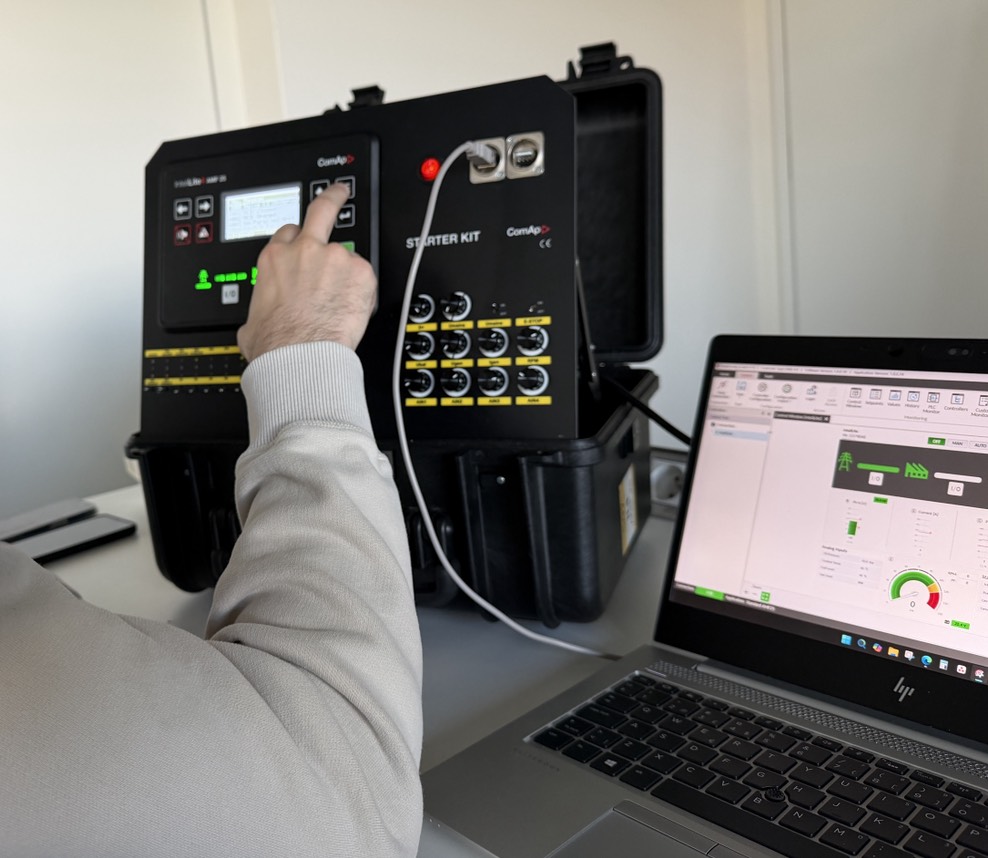
- The maker's own cloud. ComAp, Deep Sea, Datakom and others offer gateways and cloud services that give the fullest access to their own controllers, including configuration and the event log.
- A multi-brand platform. A monitoring platform that reads several controller brands, through their gateways or Modbus, and shows the whole fleet in one place with one set of alarm rules.
What to check when you take over a generator fleet
- List every controller: brand, model, firmware version and communication module, site by site.
- Back up every configuration file. If a controller fails and has to be replaced, a saved configuration lets the new one run in minutes instead of being set up from memory.
- Set the clock. An event log with the wrong date and time cannot be matched to an outage or a site visit.
- Check the alarm settings. Make sure shutdowns and warnings are enabled for low oil pressure, high coolant temperature, overspeed, low fuel, low battery voltage and charger failure, with the same thresholds across similar units.
- Protect the setpoints. Use the controller's password levels so that settings cannot be changed by accident during a visit.
- Confirm how each unit will be monitored, with the method chosen from the list above.
Frequently asked questions
What is a generator controller?
A generator controller is the electronic module that starts, stops and protects a generator set. It measures engine and electrical values, shuts the engine down when something goes outside its limits, and keeps an event log of starts, stops and alarms.
What is the difference between an AMF and an auto start controller?
An auto start controller starts the generator when it receives a signal from an external transfer switch or remote command. An auto mains failure (AMF) controller watches the mains itself, starts the generator on a mains failure and controls the transfer of the load.
Which generator controller brands are most common?
ComAp, Deep Sea Electronics, SmartGen, Datakom and Woodward are among the most widely used independent controller makers. Engine manufacturers such as Cummins, Caterpillar and Kohler also fit their own controllers.
Can a generator controller be monitored remotely?
Yes. Most modern controllers can be monitored through the maker's gateway and cloud service, through Modbus RTU or TCP, or through SNMP. Older controllers can at least provide dry contact signals such as common alarm and running.
What is J1939 on a generator?
J1939 is the CAN bus standard that electronic diesel engines use to share data. The generator controller reads engine values and fault codes from the engine's ECU over J1939 instead of from separate sensors.
Can different controller brands be monitored on one platform?
Yes, if the platform supports each brand's gateway or Modbus register map. The platform then needs a common list of alarm names and priorities so that the same problem looks the same on every unit.
Sources
- Manufacturers' product documentation for ComAp InteliLite, InteliGen and InteliSys; Deep Sea Electronics DSE series; SmartGen HGM series; Datakom D-series; Woodward easYgen.
- SAE J1939 standard family for vehicle and engine network communication.
- Related reading: remote generator monitoring and generator maintenance schedule and checklist.

See every generator's status and service plan in one place
GenSetCare reads alarms, fuel and run hours from the controller, schedules service by run hours and calendar, and gives technicians a field app with live checklists.